
Unused NAT Gateways incur significant costs and should be deleted when no longer needed.
Subtitles are available in English, French and Spanish. Click here to get the full masterclass.
How to identify?
To determine if you are impacted by unused NAT Gateways, use the following methods:
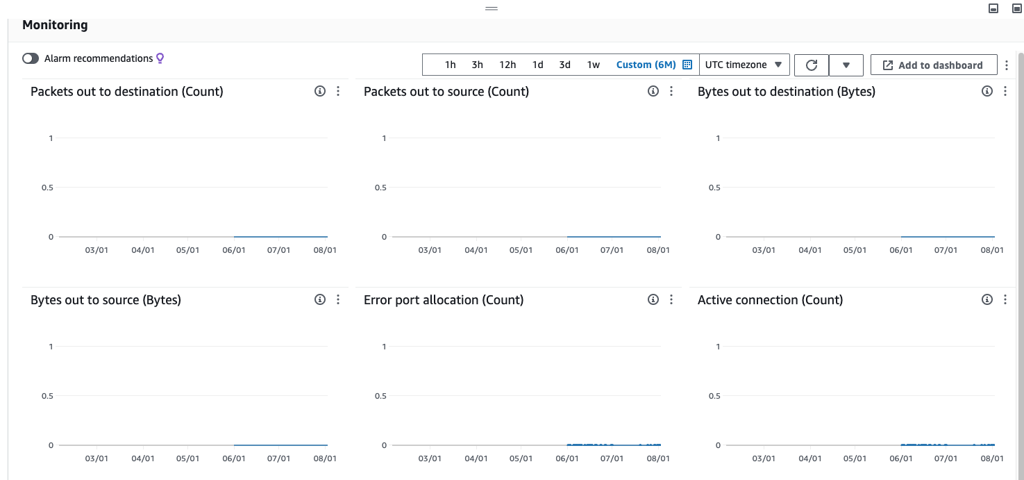
In AWS Console, navigate to the VPC service, then select the NAT Gateways section. Click on each NAT Gateway to view its details, then go to the Monitoring tab. Review the diagrams over a long period (e.g., 6 months). An unused NAT Gateway will show minimal or no activity, as illustrated below:
In AWS Console, go to Billing and Cost Management, then select the Bills section. Click on Elastic Compute Cloud (EC2), followed by your region, to review billing details related to your NAT Gateways.

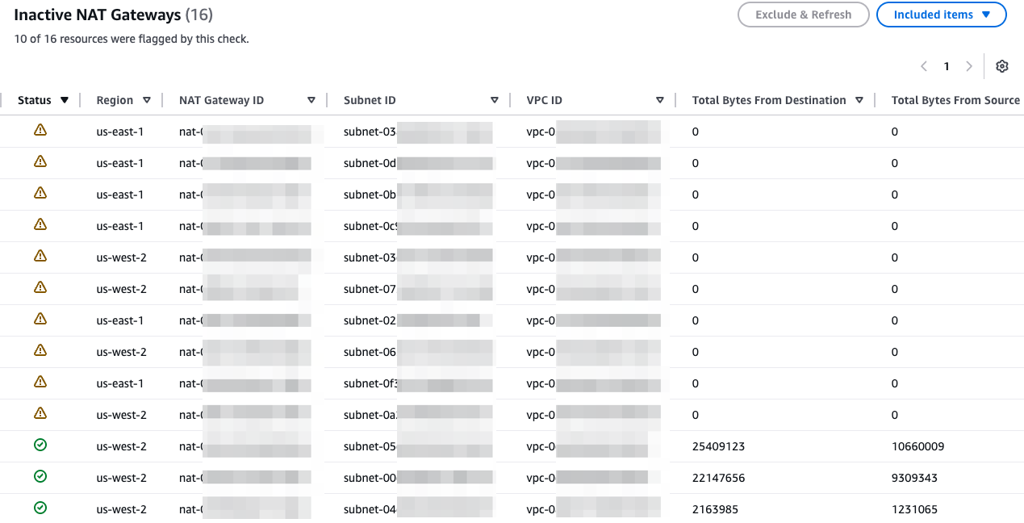
In AWS Console, open Trusted Advisor and navigate to the Cost Optimization section. Look for Inactive NAT Gateways to identify any unused resources.
How to fix?
Ensure the NAT Gateway is no longer required before deletion.
In AWS Console, go to the VPC service and select the NAT Gateways section. Choose the NAT Gateway you want to remove, then click Actions > Delete NAT Gateway.
Note: If the NAT Gateways are provisioned automatically (e.g., via CloudFormation or Terraform), update your infrastructure-as-code (IaC) to prevent future recreations.