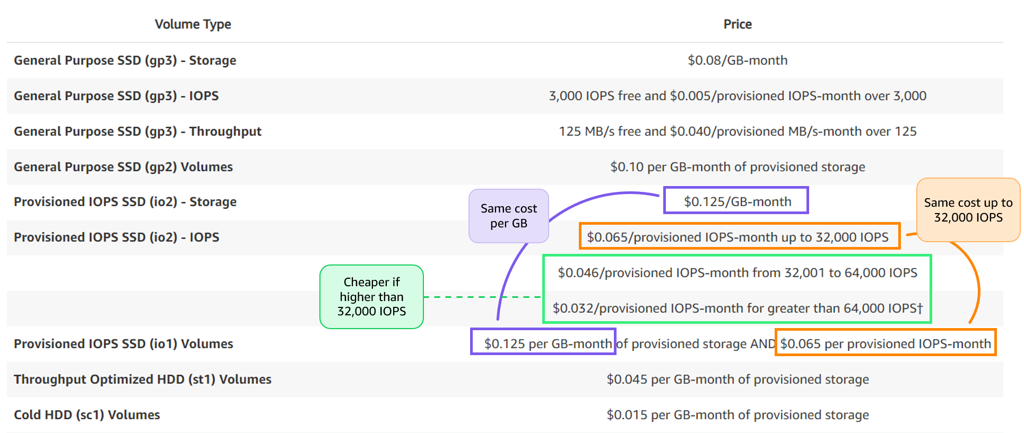
GP2 volumes should be upgraded to GP3 volumes to save up to 20% on costs. GP3 also allows you to provision IOPS and throughput independently of volume size, offering better performance flexibility.
Subtitles are available in English, French and Spanish. Click here to get the full masterclass.
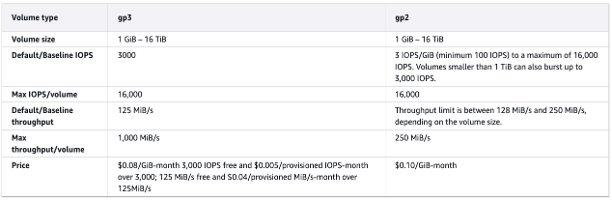
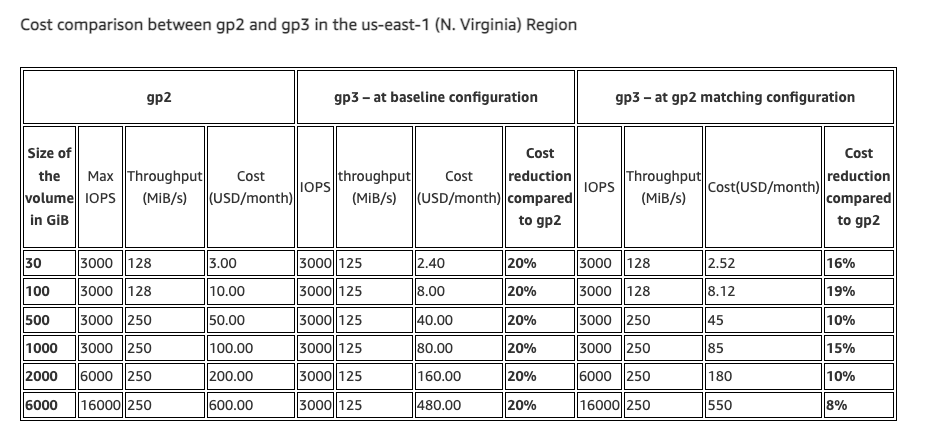
How to identify?
You can identify GP2 volumes eligible for upgrade using the following methods:
From our Cost Optimizations Report, check at EBS_Upgrades section.
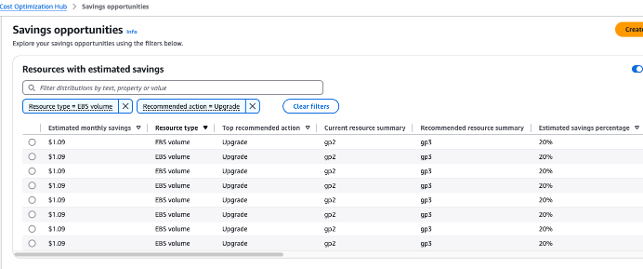
In AWS Console, navigate to the Cost Optimization Hub and filter by EBS Volume with the recommended action set to Upgrade:
In AWS Console, go to Compute Optimizer for additional recommendations.
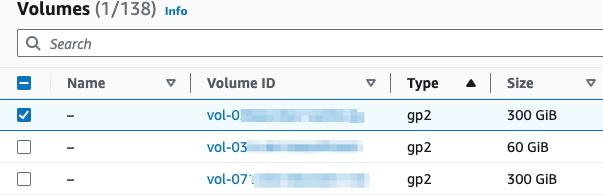
In AWS Console, go to the EC2 service, then select the Volumes section. Filter by Volume type to identify GP2 volumes.
In AWS Console, go to Billing and Cost Management, then select the Bills section. Click on Elastic Compute Cloud (EC2), followed by your region, then EBS, and search for "gp2". If you have GP2 volumes, you will see a line item for the cost. In the example below, approximately $2000 was spent on GP2 volumes for the selected period and region. Upgrading to GP3 could save 20%, or $400, with minimal effort:


How to fix?
Upgrade GP2 volumes to GP3 without interruption—no downtime is required, and the risk is minimal.
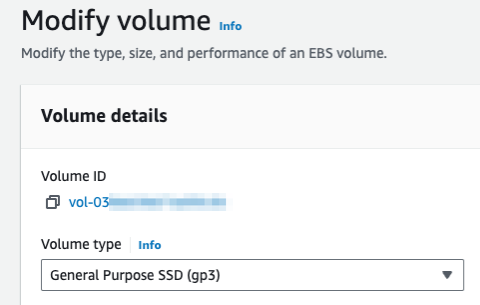
In AWS Console, go to the EC2 service, then select the Volumes section. Filter by Volume type, select a GP2 volume, then click Actions > Modify Volume. Change the volume type to GP3 and click Modify:
You can also upgrade io1 volumes to io2 to potentially save on IOPS costs.
Notes:
If the EBS volumes are provisioned automatically (e.g., via CloudFormation or Terraform), update your infrastructure-as-code (IaC) to reflect the new volume type.
If a volume is in the "Available" state and no longer needed, consider deleting it.
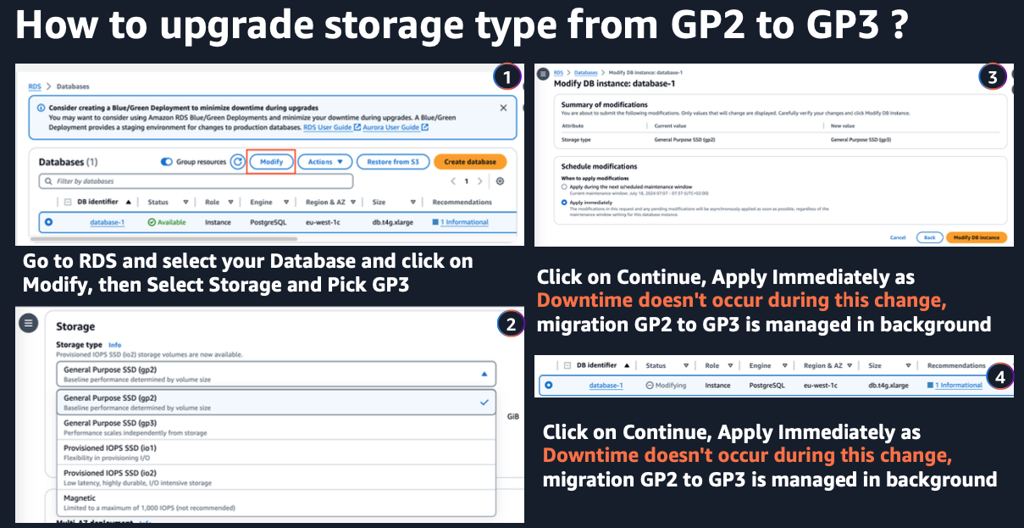
EBS Volumes are not only by EC2, check out here with an RDS example: