
Instance pricing is usage-based, meaning you pay by the hour only when the instance is allocated and running.
Stopping instances during nights and weekends can save 66% compared to running them full-time.
This practice should be implemented in Non-Prod and Sandbox environments.
Many servers don’t need to run 24/7. You can stop these machines during off-hours, putting them in a state where they can be operational within minutes when needed. You only pay for disk storage when the instances are stopped.
Subtitles are available in English, French and Spanish. Click here to get the full masterclass.
How to identify?
You can identify instances suitable for scheduling using the following methods:
From our Cost Optimizations Report, check at EC2_Weekend_Shutdown_NonProd section.
In AWS Console, go to the EC2 service, then select the Instances section.
How to fix?
AWS does not provide a direct solution per instance. But you can find multiple solutions :
Hibernating EC2 Instances in Response to a CloudWatch Alarm | Amazon Web Services
Stop and Start Amazon EC2 instances at regular intervals using Lambda
How to stop/start EC2 instance on a scheduled basis to save cost by using Boto3 and Lambda
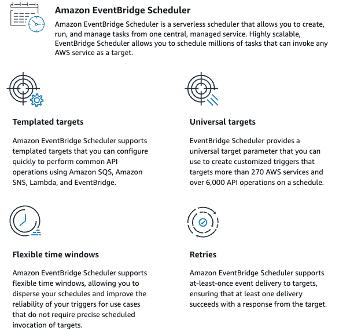
Using EventBridge Scheduler
EventBridge Scheduler allows you to schedule millions of tasks that can invoke more than 270 AWS services and over 6,000 API operations.
Create schedules using CRON and rate expressions for recurring patterns or configure one-time invocations.
Set up flexible time windows for delivery, define retry limits, and set the maximum retention time for failed triggers.
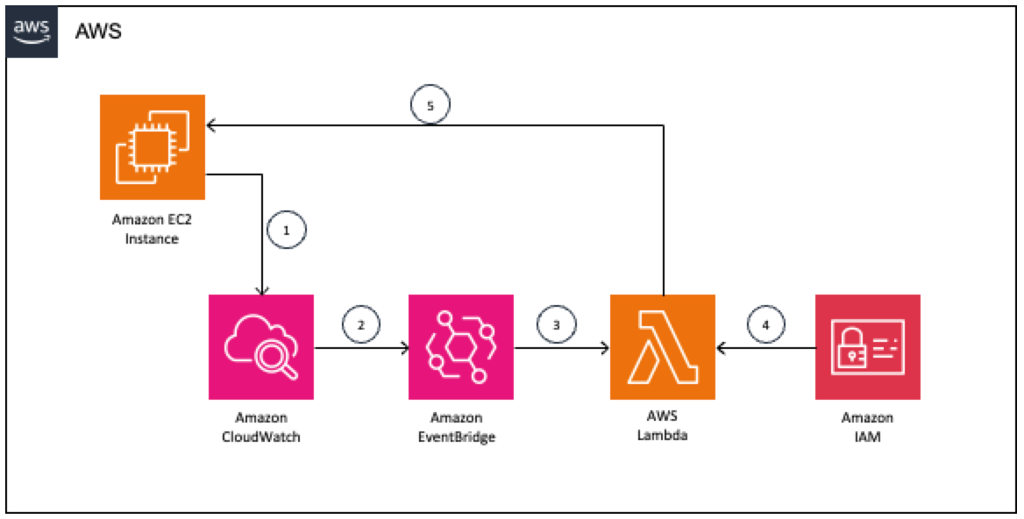
Basically, they’re all mostly giving the same solution:
Add necessary IAM permissions
Create a lambda, with boto3 python code - We recommend Hibernate instead of Stop. Insert a filter by tag.
ec2_filter=[{'Name': 'tag:schedule_ec2_instance', 'Values': ['True']}] ec2.instances.filter(Filters=ec2_filter).hibernate()
Use EventBridge to trigger the Lambda function based on a CRON schedule.
Tag your EC2 instances appropriately.
If the resource is provisioned automatically via IaC (such as CloudFormation or Terraform), update the corresponding code to reflect the changes.