
A Load Balancer is considered idle when it processes no traffic yet continues to incur hourly charges. An unused load balancer costs $18 per month and is recommended for deletion to avoid unnecessary expenses.
Subtitles are available in English, French and Spanish. Click here to get the full masterclass.
How to identify?
You can identify idle Load Balancers using the following methods:
From our Cost Optimizations Report, check at ELB_Idle_Load_Balancers section.
In AWS Console, navigate to the EC2 service, then select the Load Balancers section. Click on each load balancer to view its details:
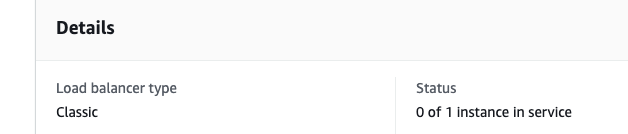
For Classic Load Balancers, check the Status. If you see a 0, the load balancer is not connected to an Auto Scaling Group (ASG) or instance.
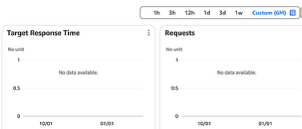
For other types, go to the Monitoring section and review the diagrams over a long period (e.g., 6 months) to confirm inactivity:
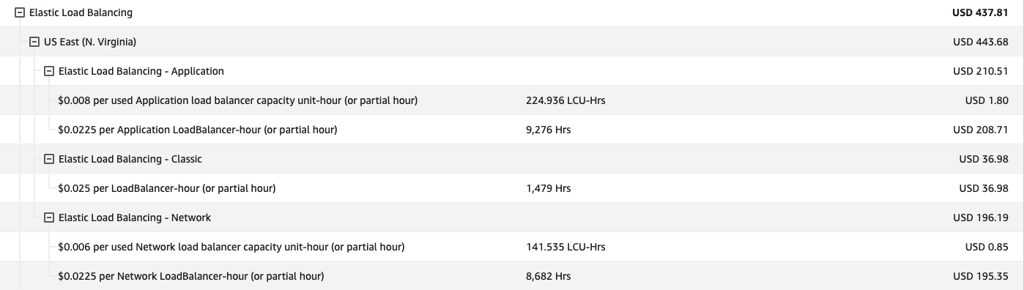
In AWS Console, go to Billing and Cost Management, then select the Bills section. Click on Elastic Load Balancing, followed by your region, to review billing details for all load balancer types (Application, Classic, Network):
How to fix?
Ensure the Load Balancer is no longer needed before deletion.
In AWS Console, go to the EC2 service, then select the Load Balancers section. Choose the load balancer you want to delete, then click Actions > Delete Load Balancer.
Note: If the Load Balancers are provisioned automatically (e.g., via CloudFormation or Terraform), update your infrastructure-as-code (IaC) to reflect these changes.