
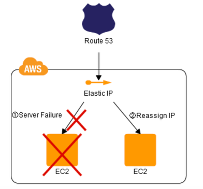
When you delete an EC2 Instance, its Elastic IP Address may remain allocated. Each unused Elastic IP costs $0.005 per hour, or $3.60 per month. Always verify that an Elastic IP is not in use before releasing it.
Subtitles are available in English, French and Spanish. Click here to get the full masterclass.
How to identify?
You can identify idle Elastic IP Addresses using the following methods:
From our Cost Optimizations Report, check at VPC_Idle_Elastic_Ips section.
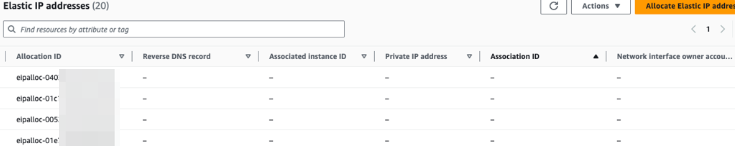
In AWS Console, navigate to the EC2 service, then select the Elastic IPs section. Filter by Association ID. Elastic IPs with no Association ID, no associated Instance ID, no private IP address, and no Network Interface Owner Account ID are considered idle.
In AWS Console, go to Billing and Cost Management, then select the Bills section. Click on Virtual Private Cloud, followed by your region, then Amazon Virtual Private Cloud Public IPv4 Addresses. If you have idle IPs, you will see a line item for the cost. In the example below, approximately $25 was spent on idle IPs for the selected period and region. Compare this cost to in-use IPs to estimate the number of idle addresses:

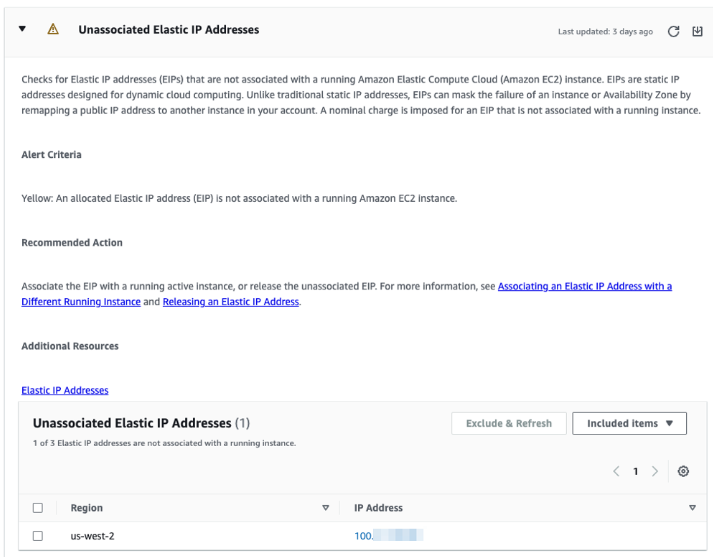
In AWS Console, go to Trusted Advisor, then select the Cost Optimization section. Click on Unassociated Elastic IP Addresses to view the list:
How to fix?
Ensure you are releasing the correct Elastic IPs. Do not disassociate IPs that are in use.
In AWS Console, go to the EC2 service, then select the Elastic IPs section. Filter by Association ID. Select an Elastic IP with no association, then click Actions > Release Elastic IP Addresses. Click Release. If you receive a warning, the IP may still be in use — do not release it.
Note: If Elastic IPs are provisioned automatically (e.g., via CloudFormation or Terraform), update your infrastructure-as-code (IaC) to reflect these changes.