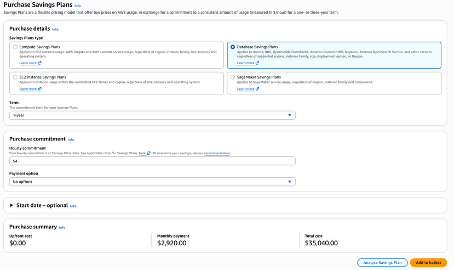
Database Savings Plans…
A flexible pricing model that reduces your database costs by up to 35% compared to On-Demand prices
Were introduced in December 2025 and Includes Many Services
Currently only available for a 1-year term and no upfront payment
Offer less savings than Reserved Instances but apply to eligible serverless and provisioned instance usage regardless of engine, instance family, size, deployment option, or AWS Region

Subtitles are available in English, French and Spanish. Click here to get the full masterclass.
Key Scenarios for Database Savings Plans
You cannot combine a Reserved Instance with a Database Savings Plan
Need for Flexibility: You plan to change instance families (e.g., moving from R5 to R7g), change database engines (e.g., MySQL to Aurora), or regions.
Modernization: You are adopting Serverless configurations or shifting from provisioned to serverless.
Reduced Operational Overhead: You want to avoid the manual effort of modifying or managing RIs.
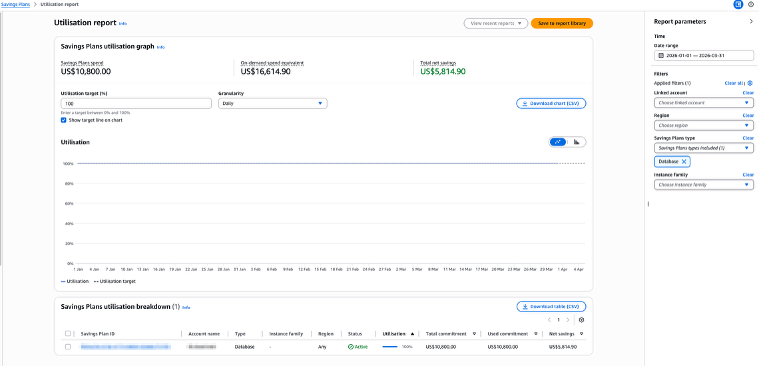
Utilization and Coverage Report
Go in Billing Service > Savings and Commitments > Savings Plans > Utilization Report. Select Savings Plans type = Database
The utilization report shows the percentage of your Savings Plans commitments that you are using across your applicable AWS usage.
Ideally, you want this to be at 100% to ensure you are not wasting any of your committed spend.
Coverage: Go in Billing Service > Savings and Commitments > Savings Plans > Coverage Report. Exclude all Services included in classic Savings Plans (EC2, ECS, EKS, Lambda, SageMaker)
The coverage report indicates what percentage of your eligible AWS usage costs are being covered by your SPs during your selected time period.
Ideally, you want this to be around 80 to 100% to ensure you are covering most of the potential savings.

Recommendations
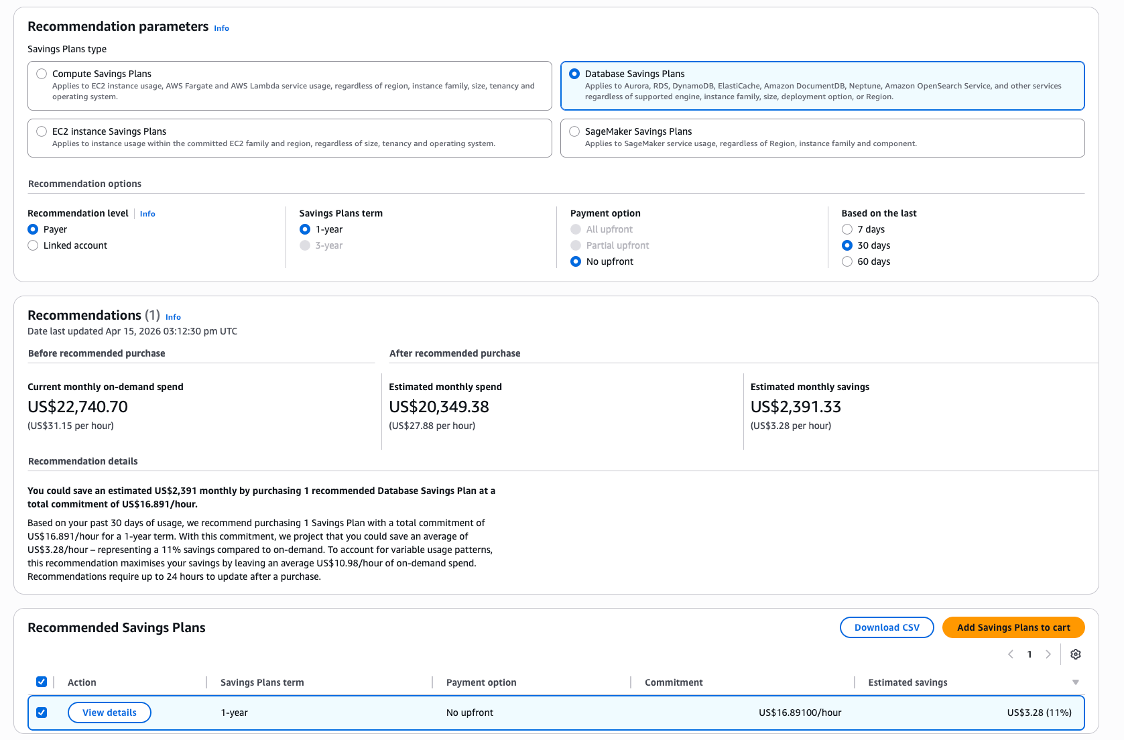
Go in Billing Service > Savings and Commitments > Savings Plans > Recommendations.
Select Database Savings Plans.
Look at the recommended Savings Plans and lower the recommended Commitment rate.
Do not over-commit by having coverage > 100%.
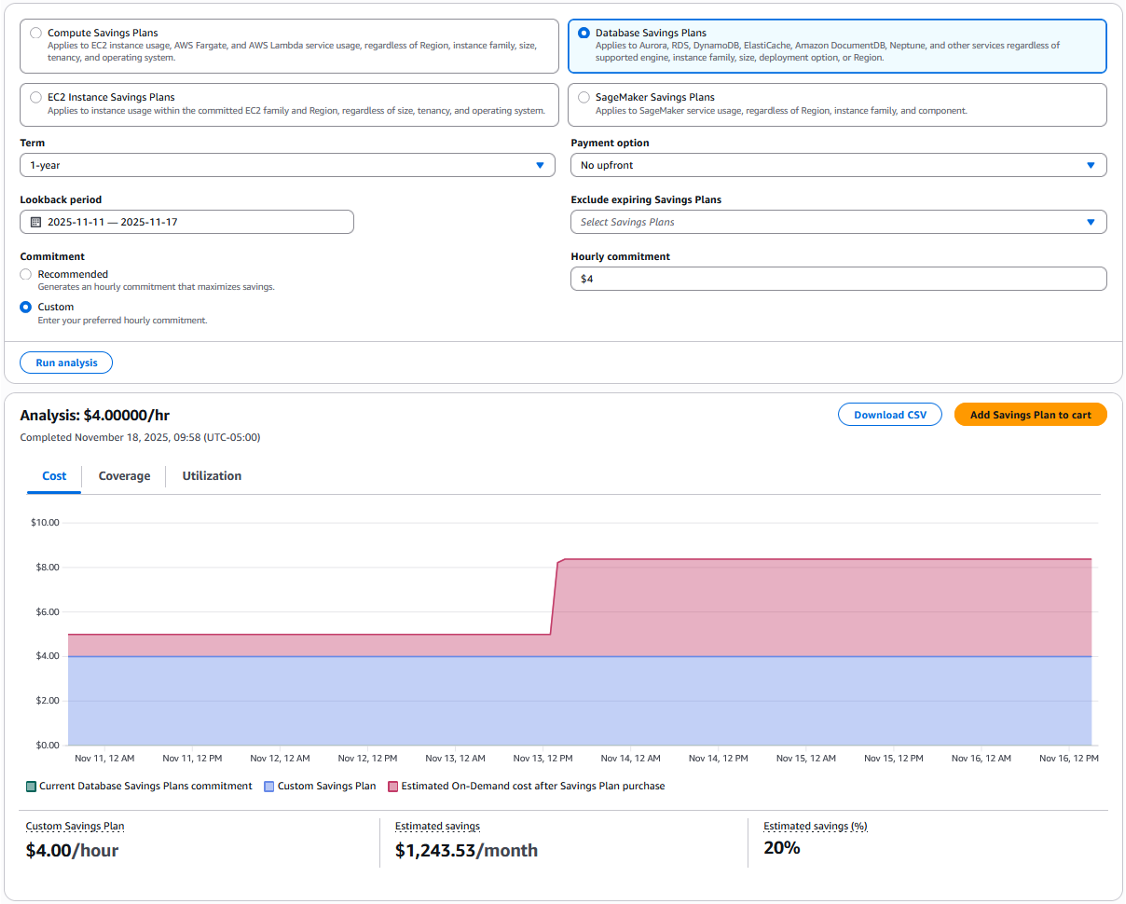
Navigate to Purchase Analyzer.
Select Database Savings Plans and configure Lookback period and Hourly commitment to simulate alternative commitment levels and see the projected impact on Cost, Coverage, and Utilization.
Purchase a Savings Plan
- Look at the uncovered services in the Coverage Report.
- Confirm your instances are needed and rightsized.
- Look at recommendation and choose a lower hourly commitment, e.g., 50%.
- Purchase the Savings Plan.